At its core, online audio noise reduction is about using smart, cloud-based AI algorithms to clean up your recordings. These tools automatically hunt down and eliminate unwanted sounds—think annoying hums, distracting clicks, or even background chatter—from your audio and video files. The AI is trained to intelligently separate human speech from everything else, leaving you with crisp, professional-sounding audio without needing a degree in sound engineering.
Why Flawless Audio Is Your Biggest Advantage
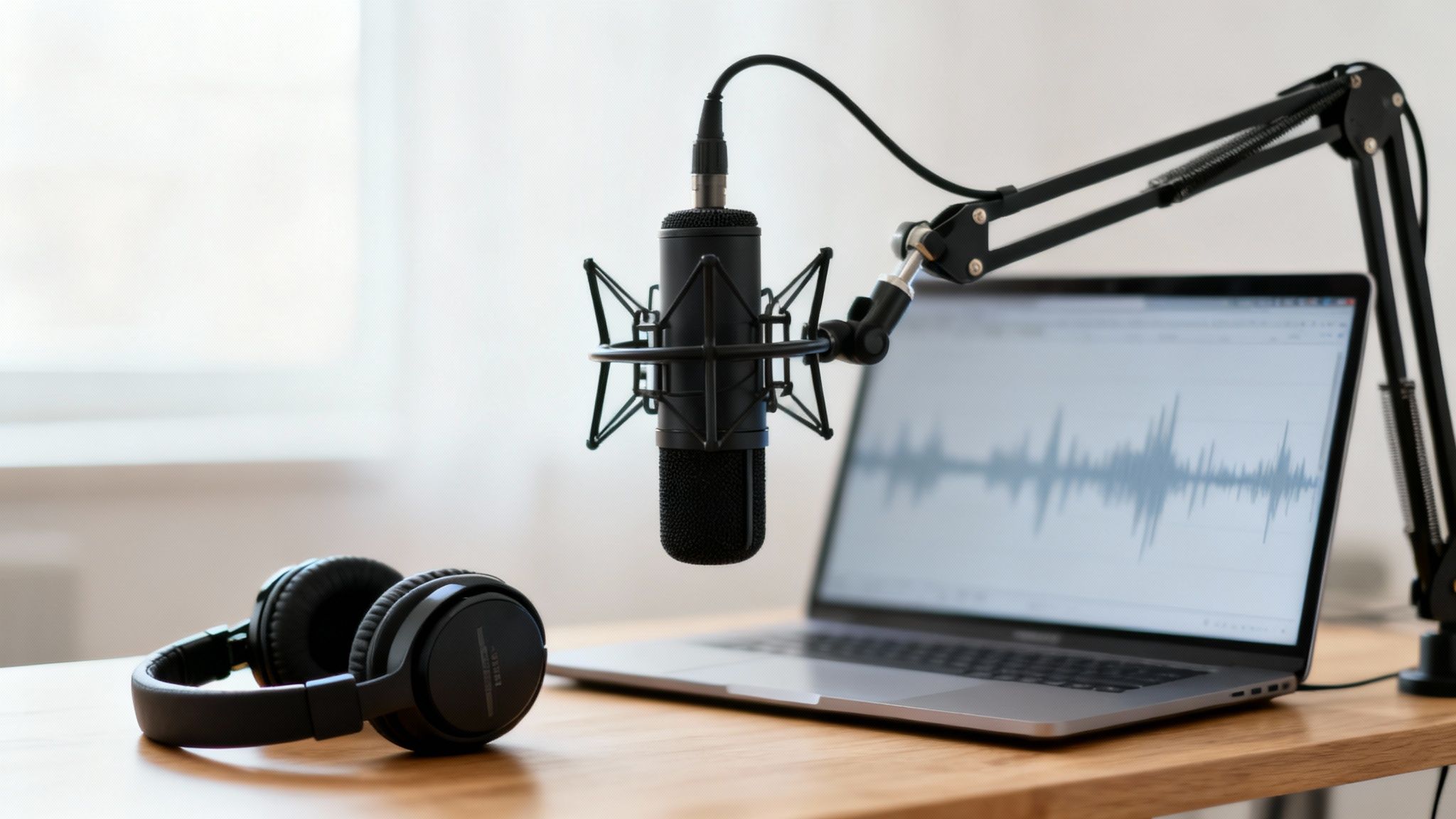
We've all been there. You nail the perfect interview or record a brilliant take, but on playback, it's riddled with a low-level hum, the click-clack of a keyboard, or the unmistakable murmur of a coffee shop. That kind of background noise doesn't just annoy listeners; it can completely tank their engagement and chip away at your credibility.
Today, it’s not enough just to be heard. You need to deliver an immersive, distraction-free experience that keeps your audience captivated and coming back for more. For podcasters, YouTubers, and educators alike, clean audio has become a non-negotiable part of the final product.
The Shift to Simple, Powerful Tools
Not too long ago, cleaning up audio meant wrestling with expensive software like Adobe Audition and sinking hours into learning complex tools like noise gates and parametric equalizers. It was a steep learning curve, to say the least.
Thankfully, a new wave of online tools has completely changed the game. They provide a direct path to professional-grade sound, all without downloads or a deep technical background. This isn't just a coincidence; it's a response to a massive market need.
The global online audio noise reduction market is booming. It shot up from a USD 563 million valuation and is projected to hit USD 961 million by 2032. This surge is driven by the explosive demand for crystal-clear audio in everything from virtual meetings to podcasts. You can learn more about the market growth in this detailed report.
This trend tells a clear story: creators and professionals need efficient, high-quality solutions, and they need them now. Here’s why this matters to you:
- It screams professionalism. Clean audio tells your audience you're serious about quality and that you respect their time.
- It keeps people listening. When your audience isn't struggling to hear you over background noise, they're far more likely to stick around.
- It saves you a ton of time. What once took hours of painstaking manual editing can now be done in minutes with a simple upload-and-process workflow.
By embracing online audio noise reduction, you’re not just fixing a few audio issues—you’re sharpening your competitive edge.
Getting Your Audio Ready for the Best Results
Before you even think about uploading a file to an online audio cleaner, a few minutes of prep work can make a world of difference. It's a bit like a chef getting all their ingredients chopped and ready before starting to cook—the final dish just comes out better. The whole idea is to give the AI the clearest, most direct signal to analyze, which ultimately leads to a cleaner, more natural-sounding final track.
First thing's first: get organized. This is a simple habit, but it's a lifesaver when you're dealing with more than one recording. Ditch generic names like Audio_Final_1.wav and adopt a descriptive system. Something like Podcast_Ep12_Guest_Raw.wav tells you everything you need to know at a glance: the project, episode number, who’s speaking, and that it’s the original, unedited file. This small tweak saves a ton of headaches later.
The Power of a Clean Slate
Here's one of the most effective tricks in the book, and one that people often forget: capture room tone. This is just the sound of your recording space when everything is quiet. Before you start the real recording, just hit the record button and capture five to ten seconds of this ambient sound. This little "sonic fingerprint" picks up the subtle hum of your computer fan, the whir of the air conditioning, or even the slight echo of the room itself.
Pro Tip: Handing the AI a pure sample of your room tone is like giving it a cheat sheet for what to remove. Most modern tools are smart enough to figure out noise on their own, but a clean sample makes their job way easier and often results in a much more transparent cleanup.
This simple step helps the AI algorithm draw a clear line between the noise you want gone and the voice you want to keep.
Choosing the Right File Format
The file format you choose has a direct impact on the quality of your cleaned-up audio. While AI tools are powerful, they can't magically recreate data that isn't there. For those who want to take it a step further and pair software with hardware, looking into products like Fonestar Seven 3000nr15 noise reduction solutions can offer even more control over your recording environment from the get-go.
Here’s a quick rundown on the most common formats:
- WAV (Waveform Audio File Format): This is the king. It's a lossless format, which means it’s completely uncompressed and contains every bit of the original audio data. If you're working on a professional podcast, a voiceover for a client, or anything where quality is the top priority, use WAV. The files are big, but they give the AI the most information to work with.
- MP3 (MPEG Audio Layer III): This is a lossy format. To make the file size smaller, it strategically removes some audio data. While there's a slight dip in quality, a high-bitrate MP3 (like 320 kbps) is more than good enough for most things, like YouTube videos or online courses.
The bottom line? If you have the hard drive space, always go with WAV. If you need a smaller file, a high-quality MP3 is a perfectly fine fallback. Also, remember that a healthy recording level is key. If your audio is recorded too quietly, learning how to increase your mic volume properly at the source is a much better fix than trying to boost it in post-production.
Your AI-Powered Audio Cleaning Workflow
Alright, let's get our hands dirty and walk through the actual process of cleaning up your audio online. The beauty of modern AI tools is that they’ve taken all the complicated, mind-numbing technical work out of the equation. You can forget about fiddling with confusing plugins and a dozen different sliders. This is all about getting from a noisy, distracting recording to a polished, professional-sounding track in just a few minutes.
Most of these platforms, like SimpleClean, are designed for speed. Once you've created an account and logged in, you're usually just a few clicks away from starting. You’ll see a pretty obvious spot to upload your files—either by dragging them right from your desktop or browsing your folders the old-fashioned way.
This isn't just a niche trend; it's a massive shift in how we handle audio. The background noise reduction software market is on a rocket ship, projected to soar from USD 3.21 billion to a staggering USD 45.02 billion by 2034. It’s becoming so standard that 71% of consumer electronics makers are now building noise suppression right into their devices. You can see the full market analysis here.
The Simple Upload and Process Steps
After you’ve selected your files, the magic starts. For someone like a podcaster sitting on a whole season's worth of interviews, the bulk processing feature is an absolute lifesaver. Instead of painstakingly cleaning one file at a time, you can just throw them all into the system at once and let the AI handle the heavy lifting.
This simple flow chart really breaks down the prep work you should do before you even hit upload.
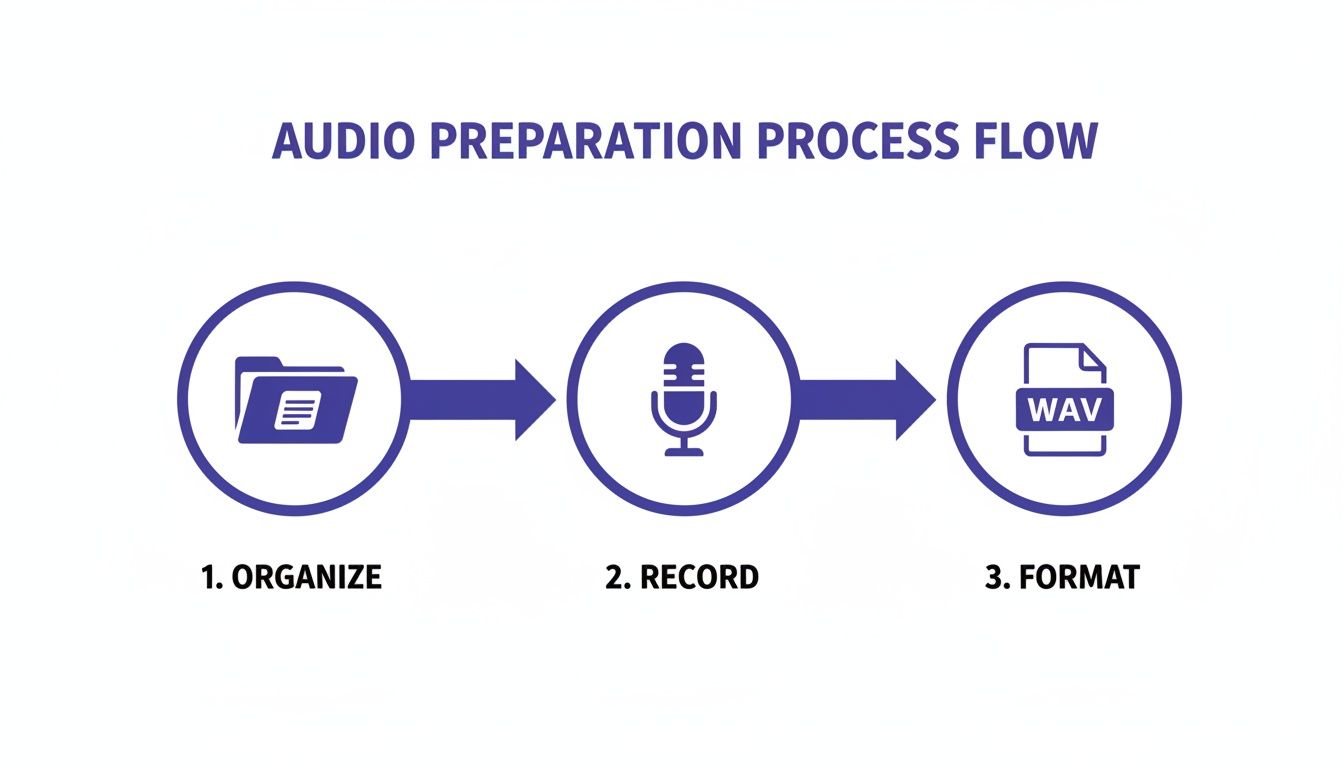
Getting into the habit of "Organize, Record, Format" gives the AI the best possible starting point, which means you get a better result on the other end.
The second your audio hits the server, the AI is on the case. It scans the entire file, learning the difference between the sound of your voice and all that junk you don't want—the air conditioner humming, the traffic outside, or that faint electronic buzz. Best of all, it's completely automatic.
Behind the curtain, there's some seriously complex technology at play. But for you, the experience is designed to be dead simple. The goal is to surgically remove distracting noise while keeping the natural tone and richness of your voice intact.
Once the process is finished, you’ll usually get an email letting you know your files are ready. This is a huge help for big jobs, since you don't have to babysit the browser window. You can kick off the process, go make a cup of coffee, and come back when it’s all done.
Reviewing and Finalizing Your Clean Audio
Before you download anything, the preview function is your best friend. It lets you do a quick A/B comparison between your original track and the newly cleaned version. I always recommend taking a minute to do this.
- Listen to the original first. Remind yourself exactly what was wrong with it—was it a loud hum, a distant siren, or just general room echo?
- Then, listen to the processed version. Does your voice sound clear and natural? Is the distracting noise gone without making you sound like you’re in a tin can?
- Flip back and forth a few times. This is the best way to really hear the difference and make sure the improvement is exactly what you were hoping for.
This little quality check ensures you’re 100% happy with the result before you commit. If it sounds great, just hit the download button. You’ll get a polished, ready-to-use audio file for your podcast, video, or online course.
While this workflow is fantastic for quick, powerful noise reduction, sometimes you need more granular control. For projects that require more detailed edits, you might want to explore a more comprehensive tool. If that sounds like you, you can check out our guide on the best online audio editor for some great options.
Fine-Tuning Your Audio Cleanup for Different Projects
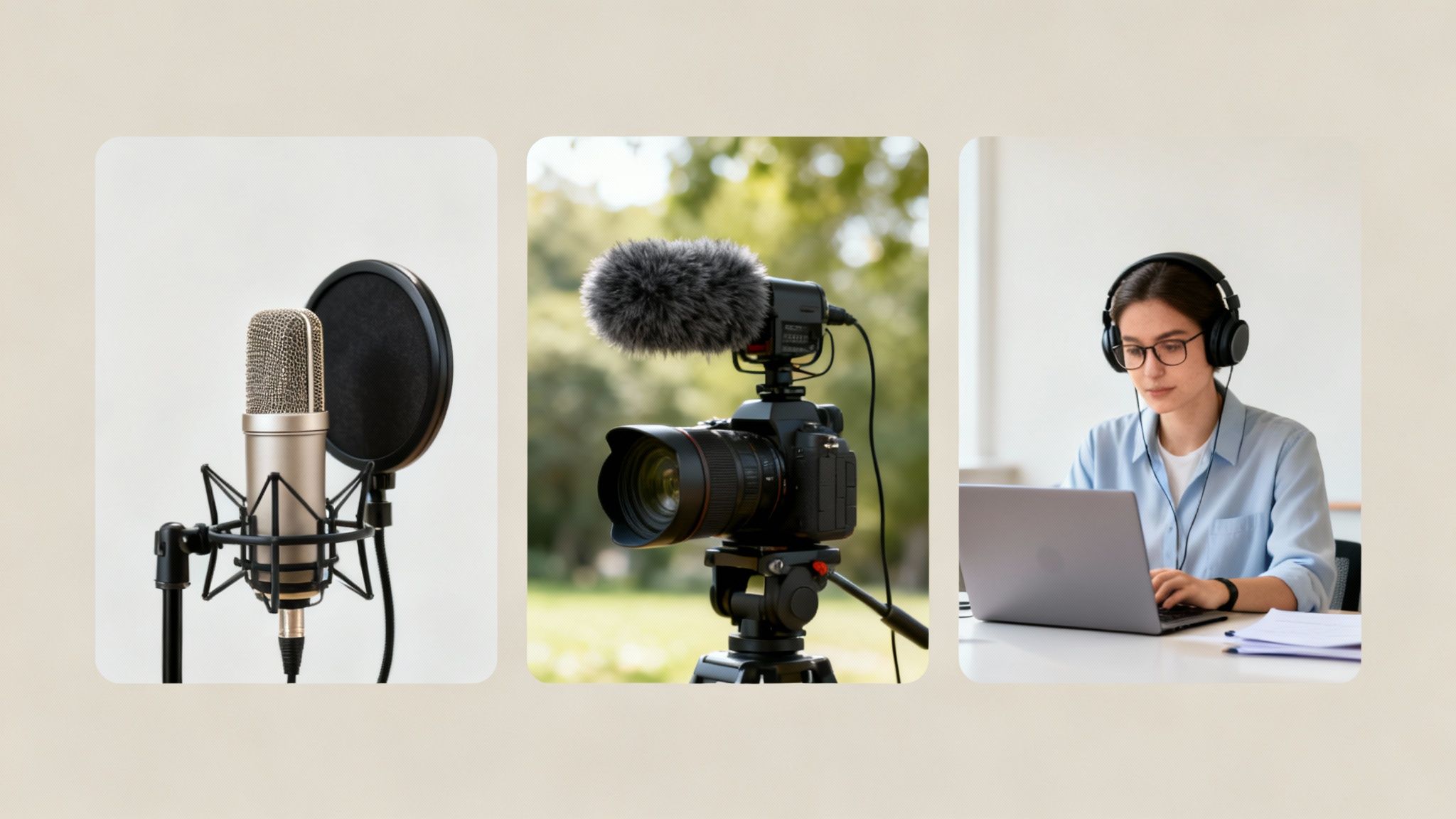
The persistent hum in a podcaster’s remote interview is a completely different challenge from the wind noise in a YouTuber's outdoor vlog. This is why a single, generic approach to online audio noise reduction rarely gets the job done. You have to match your cleanup strategy to the project at hand.
Every type of content has its own signature audio problems. The key is to first identify what you’re up against—whether it's room echo, traffic noise, or an air conditioner—before you even think about hitting that "process" button.
For Podcasters: Rescuing Remote Interviews
Let's face it: the biggest headache for podcasters today is wrangling inconsistent audio from remote guests. You've invested in a great mic and a quiet space, but your guest is dialing in from their kitchen on a laptop. The result is a jarring listening experience where one voice is crisp and the other is swimming in echo.
Your mission here is twofold: kill the background noise and make the voices sound like they're in the same room.
- The Problem: Your guest's audio is full of room echo, keyboard clicks, or the low drone of a refrigerator.
- The AI Fix: When you upload their track, the AI is smart enough to distinguish their voice from all that ambient junk. It zeroes in on the echo and hum, effectively "drying out" their audio to make it sound closer and far more professional.
By processing just the guest's track, you can lift their audio quality to match your own, creating a smooth, professional-sounding conversation that doesn't distract your listeners.
The real win for podcasters is consistency. An online AI tool can take a muddy, low-quality guest recording and make it broadcast-ready in minutes. This saves you from the nightmare of manual EQ and reverb fixes, making your entire production sound polished and credible.
For Video Creators: Taming the Great Outdoors
If you're a YouTuber or vlogger, the world is your set—and that means dealing with a ton of unpredictable noise. You could be shooting a travel video on a windy beach or a product review in a big, empty room. The visuals might be amazing, but terrible audio will make viewers click away instantly.
Here, your primary focus is on controlling that chaotic environment.
- The Problem: Wind howling across your camera's mic, traffic rumbling by, or that hollow, cavernous sound of an untreated room.
- The AI Fix: Modern AI tools are fantastic at identifying and suppressing these specific environmental sounds. The algorithm can isolate the distinct frequency of wind or the drone of traffic and simply subtract it from your audio file, leaving your dialogue clear and easy to understand.
This lets you capture incredible footage on location without compromising on sound quality. For a deeper look at different options out there, we have a complete guide to the best noise reduction software for audio.
For Educators: Delivering Crystal-Clear Lessons
When you're creating an online course or tutorial, clarity is non-negotiable. Your students need to hang on every word without being pulled out of the lesson. Any distraction—a dog barking, kids playing next door, or even the AC kicking on—can break their concentration and cheapen the feel of your content.
For educators, the goal is simple: pristine, distraction-free speech.
- The Problem: Sudden household noises and the constant, low-level hum from appliances or HVAC systems.
- The AI Fix: This is where an AI workflow really shines. It's built to eliminate these common domestic sounds, creating a clean, silent backdrop that puts your voice front and center.
This ensures your lessons come across as professional and, most importantly, are easy for your students to follow and absorb.
Every creator deals with noise, but the type of noise and the reason for fixing it can vary quite a bit. Recognizing your specific needs helps you get the most out of these AI tools.
Here’s a quick breakdown of the common challenges and benefits for different creator types:
Noise Reduction Focus by Creator Type
| Creator Type | Common Noise Problem | Primary AI Benefit |
|---|---|---|
| Podcaster | Room echo, reverb, and low-quality guest mics | Creates consistent vocal quality between host and guests |
| YouTuber/Vlogger | Wind, traffic, and other unpredictable outdoor sounds | Makes on-location dialogue clear and understandable |
| Educator | Household noises (HVAC, pets, etc.) and fan hum | Ensures distraction-free audio for maximum student focus |
Ultimately, understanding these nuances is what separates a quick fix from a truly professional result. By targeting your specific audio issues, you'll produce much cleaner, more engaging content every time.
What About Privacy, Security, and Cost?
Handing your audio files over to an online tool naturally brings up a couple of big questions: Is my content safe, and what’s this going to cost me? It's a valid concern, especially if you're working with a sensitive client interview or an unreleased podcast episode. Let's break it down.
Trustworthy services put your privacy first. Before you upload anything, dig into their data handling policies. You want to see a clear statement about how long they keep your files. The gold standard is automatic and permanent deletion of both your original and processed audio after a short window, like seven days. This simple practice ensures your content doesn't just sit on a third-party server forever.
When you're vetting these AI audio tools, it's smart to look into their AI native post-production compliance and security measures to be sure your data is in good hands.
Making Sense of the Pricing
Once you're comfortable with the security, the next hurdle is the cost. How does this fit into your budget? The demand for clean audio is exploding—the noise cancelling software market was valued at USD 1.5 billion and is projected to reach USD 4.2 billion. That growth means more tools and more pricing options for us.
Generally, you'll run into two main ways to pay:
- Monthly Subscriptions: This is the go-to for regular creators. If you're a podcaster dropping weekly episodes or a YouTuber constantly editing, a subscription almost always gives you the best bang for your buck with a set number of processing hours.
- Pay-As-You-Go Credits: Got an occasional project? Maybe you just need to fix the audio for one important presentation. Buying a batch of credits offers total flexibility without locking you into a recurring monthly fee.
Here's a pro tip: look for plans that offer rollover hours or credits. It’s a huge plus. If you have a slow month, your unused time just rolls into the next, so you never feel like you're wasting money.
Ultimately, the right choice boils down to your workflow. Take a quick look at how much audio you actually process each month. A subscription is a no-brainer for heavy users, while pay-as-you-go is perfect for keeping things flexible and on-demand.
Got Questions About AI Audio Cleaning?
Even when a tool is simple, it's smart to ask questions. Diving into AI audio cleaning for the first time usually brings up a few common "what ifs." Let's walk through the most frequent ones I hear, so you can feel totally confident before you start processing your audio.
These tools are incredibly powerful, but they aren't miracle workers. Knowing what they do best—and where their limits are—is the real secret to getting fantastic results every single time.
Can AI Really Get Rid of Any Background Noise?
Here’s the deal: AI is a wizard at wiping out consistent, predictable sounds. We’re talking about the low hum of an air conditioner, the buzz from a computer fan, a persistent electrical hiss, or even the general background drone of a busy café. The algorithms have learned from countless hours of audio how to separate human speech from these common types of noise.
Where it gets a bit trickier is with sudden, sharp, and unpredictable sounds. A dog barking right next to you, a door slamming shut, or a siren wailing past your window—those are tough for any tool to remove cleanly without impacting the voice. So while AI is brilliant at making your dialogue pop in most recording situations, it can't magically erase every single sound imperfection.
Will This Make My Voice Sound Robotic?
That's probably the number one fear I hear, but with the high-quality tools available today, it’s mostly a thing of the past. The whole point of modern AI audio enhancers is to preserve the natural character and warmth of your voice. Think of it less like a sledgehammer and more like a surgical scalpel, designed to intelligently cut out only the unwanted frequencies.
Of course, any audio processing can be overdone. If you push the settings to the absolute extreme on any tool, you risk creating weird artifacts. But the best online platforms are specifically tuned to deliver a natural-sounding result right out of the box. You'll get a clean vocal track that just sounds like a better version of you—not a robot.
How Is This Different From Using Audacity or Audition?
The short answer? Speed and simplicity. Professional audio software like Adobe Audition is incredibly capable, but it comes with a steep learning curve. To do noise reduction well, you have to get your hands dirty with things like noise prints, FFT filters, equalization curves, and compressors.
Online AI tools take that entire complex process and automate it.
- No Software to Install: It all happens right in your web browser. No downloads, no compatibility headaches.
- No Knobs to Twist: You don't have to spend time tweaking dozens of settings. The AI listens to your file and figures out the best fix on its own.
- Seriously Fast: A cleanup that might take you 20-30 minutes of careful manual work in a traditional program is often done in just a couple of minutes online.
These tools are built for people who need professional results without becoming professional audio engineers.
Should I Bother Using a Lossless File Like WAV?
Yes, absolutely. If you have a lossless file (like a WAV or FLAC), always start with that. It’s a lot like photo editing—you'll always get a better final picture starting from a high-resolution RAW image than you will from a compressed JPEG. Audio works the same way.
Lossless files contain 100% of the original audio information captured during the recording. This gives the AI a complete picture to work with, allowing it to perform a much more precise and accurate cleanup. Compressed formats like MP3s have already thrown away some of that data to save space. While the AI will still do a great job on an MP3, you’re giving it the best possible chance to succeed by feeding it a high-quality source file.
Ready to hear what this actually sounds like? SimpleClean gives you a super straightforward way to get that studio-quality sound in minutes. Try it for free today and clean up your first hour of audio on us!